
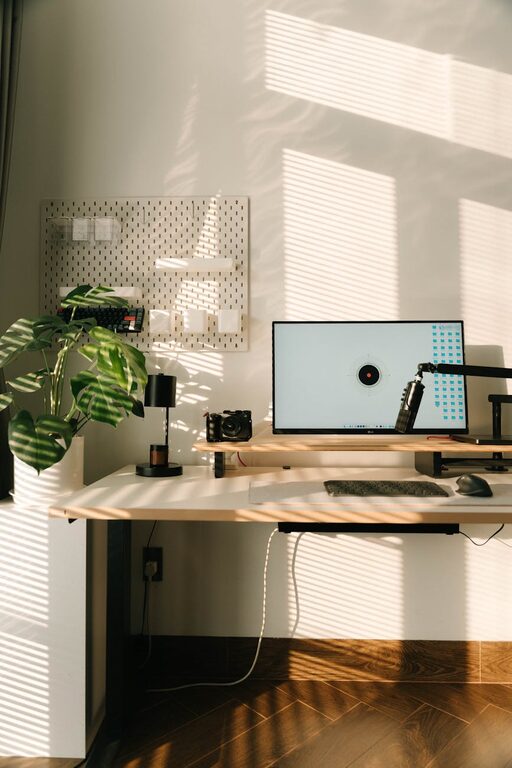
Creating a productive home office environment is essential for anyone working from home. Whether you’re a freelancer, remote employee, or running your own business, having a space designed to support concentration and comfort can make a significant difference. In this post, we’ll explore practical tips to help you set up and maintain an effective home office.
Choose the Right Space
Start by selecting a dedicated area for your home office. Ideally, this should be a spot with minimal distractions. If possible, pick a room with a door to separate work from home life. If space is limited, consider a quiet corner where you can focus.
Consider Natural Light
Natural light can improve mood and energy levels. Position your desk near a window to take advantage of daylight, but avoid glare on your screen. If natural light is limited, use bright, adjustable lighting that mimics daylight to keep you alert.
Invest in Comfortable and Functional Furniture
Your office furniture plays a crucial role in productivity. Here are some key items to consider:
– Ergonomic Chair: A chair that supports your posture reduces fatigue and discomfort during long work hours.
– Desk: Choose a desk with enough space for your computer, tools, and documents. Adjustable desks that allow you to switch between sitting and standing are great options.
– Monitor Stand: Raising your monitor to eye level helps prevent neck strain.
Organize Your Workspace
An organized workspace reduces stress and distractions. Use storage solutions like shelves, filing cabinets, and desk organizers to keep things tidy. Establish a system for managing documents and supplies so you can find what you need quickly.
Keep Essential Items Within Reach
Place frequently used tools and materials close at hand. This setup minimizes interruptions and keeps your workflow smooth. Avoid clutter by only keeping what you regularly use on your desk.
Minimize Distractions
Distractions can significantly impact your focus. Here are some ways to reduce interruptions:
– Set clear boundaries with family or housemates about your working hours.
– Turn off non-essential notifications on your devices.
– Use noise-cancelling headphones or play background music if it helps you concentrate.
Establish a Routine
Creating a daily routine helps signal your brain when it’s time to work. Set consistent start and finish times, and take regular breaks to avoid burnout. You might also find it helpful to plan your tasks each morning or the night before.
Personalize Your Space
Add personal touches like plants, artwork, or photos to make your office inviting. Plants not only brighten the space but can also improve air quality and reduce stress.
Utilize Technology Wisely
Ensure your home office has the necessary technology for your job. Reliable internet, a good quality headset or microphone, and effective software tools make work smoother.
Set Up Backup Options
Have backup plans for internet outages, such as mobile hotspots, to avoid losing productivity. Regularly back up your work files, either in the cloud or on external drives.
Maintain Good Ergonomics and Health Habits
Good ergonomics reduce the risk of physical strain. Keep your feet flat on the floor, wrists straight while typing, and your screen at eye level. Remember to move around periodically, stretch, and practice good posture.
Keep It Clean and Fresh
Regularly clean your workspace to maintain a pleasant environment. Open windows for fresh air when possible and declutter your desk at the end of each day to start fresh tomorrow.
—
By implementing these tips, you can transform your home office into a productive, comfortable, and inspiring space. A well-designed environment supports your work and helps you maintain balance between professional and personal life. Start small and adjust gradually until your workspace perfectly fits your needs. Happy working!